

MOSS-SoundEffect-v2.0
Turns a simple description into a high-fidelity sound effect up to 30 seconds long, perfect for video voiceovers and game asset creation.
Features
Screenshots
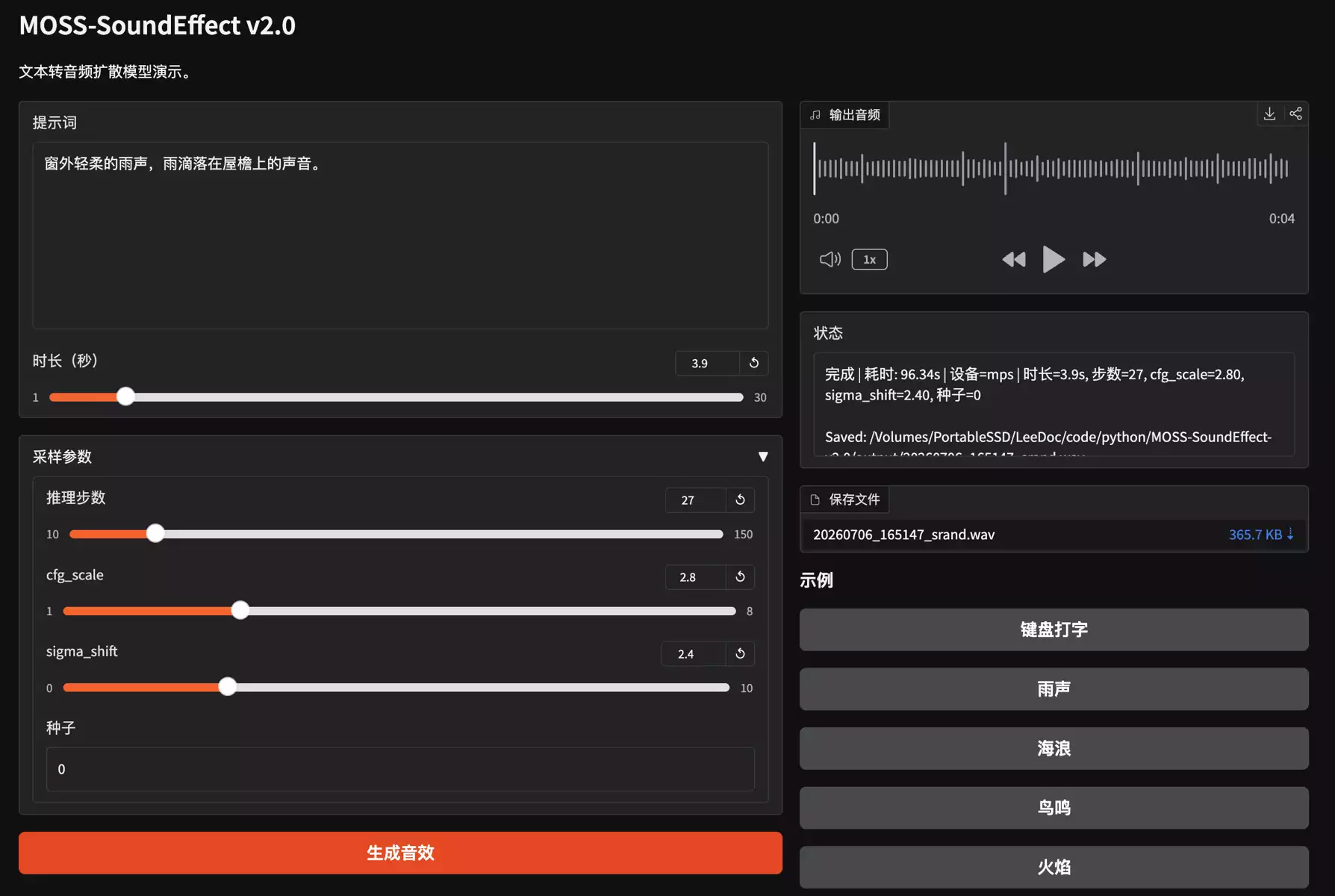
System Requirements
16GB RAM recommended. 21GB+ storage recommended.
macOS 15+: M-series chips required.
Windows 10/11 64-bit: NVIDIA GPU with 8GB+ VRAM required.
Note: For NVIDIA GPUs, install a newer driver.
Introduction
MOSS-SoundEffect v2.0 is a "text-to-sound-effect" AI model developed jointly by MOSI.AI and the OpenMOSS Team (Fudan University). It's part of the open-source MOSS-TTS Family of speech and audio models — while other family members focus on making AI "speak," this one focuses on making AI "add sound effects."
How an everyday user would use it: Open the demo page on Hugging Face — no audio expertise needed. Just type a one-sentence description of the sound you want in the text box, click generate, wait a few seconds to under a minute, and listen to the result. If you like it, download the audio file directly. For example, you could type:
- "A rainy city street at night with distant traffic"
- "A tiger letting out a low growl"
- "Sizzling stir-fry sounds and clinking dishes in a kitchen"
- "A crackling campfire with crickets chirping in the background"
The model will generate a matching audio clip, up to 30 seconds long.
Typical use cases:
- Video/short-video creators: add ambient sound or action sound effects to vlogs, short dramas, or narration videos — no more digging through sound libraries.
- Game developers/indie creators: quickly generate footsteps, ambient atmosphere, monster roars, and other assets for prototyping or production.
- Podcast/audiobook producers: layer in background environmental sound to deepen the sense of place.
- Ad/content creators: match voiceover scripts with fitting background sound effects to raise production value.
- AI researchers/developers: use it as a research baseline for controllable audio generation, or to generate synthetic training data.
Key features:
- Broad sound coverage: natural environments, urban scenes, animals & creatures, human actions, and short musical/percussive clips — covering most common sound-effect needs.
- Long-form generation: produces up to 30 seconds of stable, high-quality audio per call, without noticeable degradation as duration increases.
- Bilingual prompts: write your description directly in Chinese or English — no need for special "prompt-engineering" phrasing.
- Low barrier to entry: works instantly in the browser, no software installation or audio-editing knowledge required.
Underlying technology: Version 2.0 upgrades the architecture from v1's discrete-token autoregressive backbone (MossTTSDelay) to a continuous-latent Diffusion Transformer (DiT) trained with a Flow Matching objective, paired with a DAC VAE audio codec and a Qwen3 text encoder — resulting in higher audio fidelity and more natural long-form environmental sound.
One-line summary: MOSS-SoundEffect v2.0 is an AI tool that turns a simple Chinese or English description into a high-fidelity sound effect up to 30 seconds long, perfect for video voiceovers and game asset creation.