
n8n 2.x
A security-first workflow automation tool with enhanced reliability and efficiency, supporting visual drag-and-drop operation
Features
Screenshots
System Requirements
Minimum 8GB RAM. Low storage requirement (4GB reserved).
Windows 10/11 64-bit: No dedicated GPU required.
macOS 11+: Intel or M-series chips supported.
The standalone installation is only suitable for experiencing features. For production use, deploy in a cluster (e.g., k8s). Contact our team for support.
Introduction
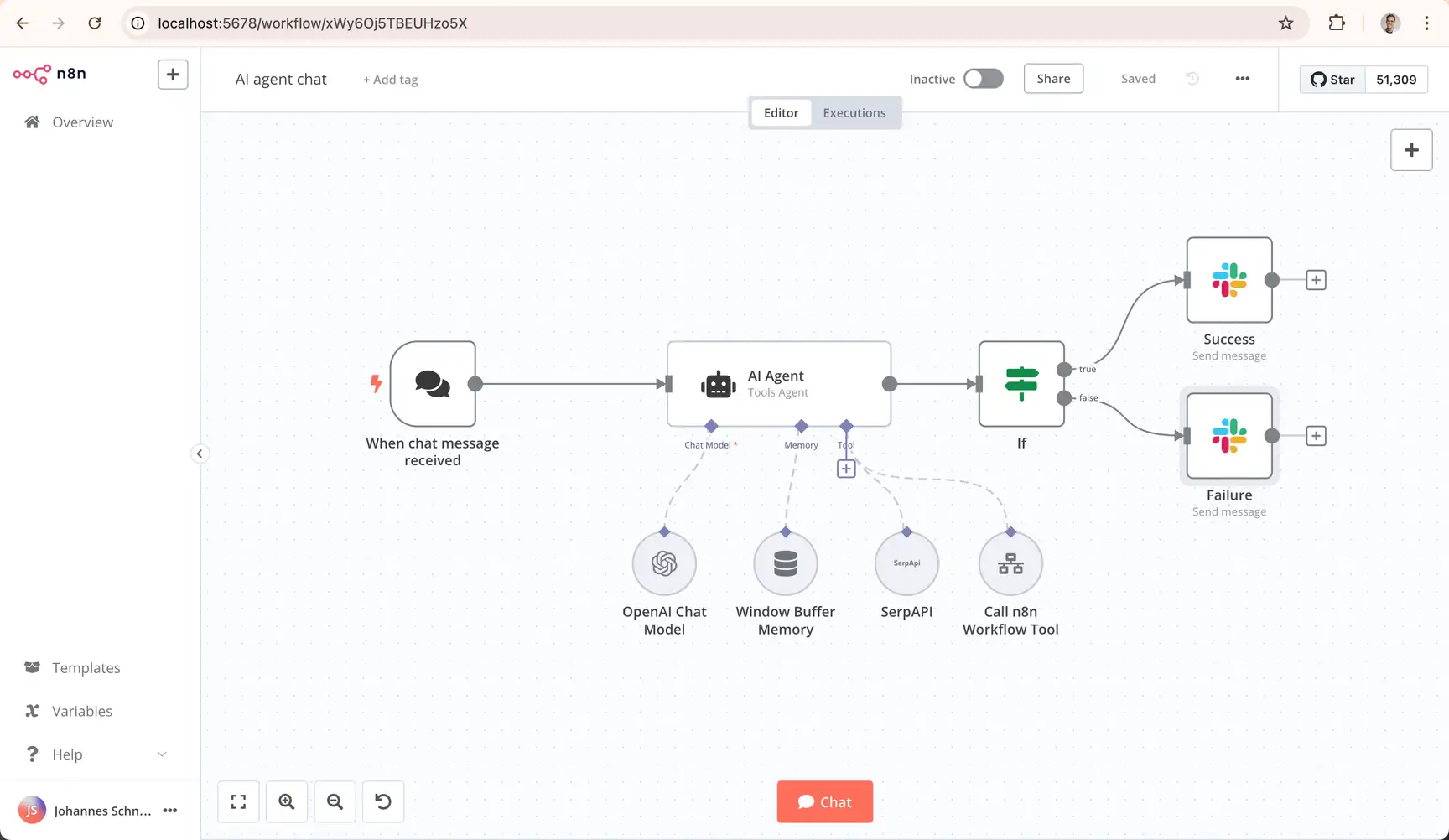
n8n is a workflow automation tool designed for both regular users and enterprises. Simply put, it’s an "intelligent assistant that automatically handles repetitive tasks" — such as syncing data across different software, scheduling file processing, or sending notifications when specific conditions are met. No complex programming is required; you can build custom automated workflows by dragging and dropping nodes.
Developer:Developed by the n8n team, which has grown from 30 members in 2023 to over 190 today, including more than 50 engineers. The team is committed to the iteration and optimization of workflow automation technology.
Underlying Technology:Utilizes SQLite database (with a new connection pool driver to improve performance), supports isolated task execution environments, and features an architecture built around "security, reliability, and scalability". It adapts to multiple deployment modes: Self-hosted (Community Edition), Cloud Edition, and Enterprise Edition.
Core Product Features
User-Friendly:Visual interface allows workflow configuration via dragging nodes and connecting processes. No professional programming skills are needed, making it easy for beginners to get started quickly.
Secure by Default:Isolated task environments are enabled by default, restricting the permissions of Code nodes to avoid malicious execution risks. Users can manually enable special permissions as needed, balancing security and flexibility.
Wide Compatibility:Supports multiple deployment methods (Self-hosted, Cloud, Enterprise). The Community Edition offers full core features for free, meeting the needs of individuals, small teams, and large enterprises.
Key Changes & Upgrades from Version 1.x to 2.0
1. Core Upgrade Directions
Following semantic versioning, n8n 2.0 focuses on three core dimensions: "security, reliability, and performance", while optimizing the user experience. It does not feature disruptive functional restructuring but addresses key pain points of the previous version.
2. Specific Upgrade Content
Enhanced Security (Secure by Default):
Task runners are enabled by default, with Code nodes executing in isolated environments to limit access to system resources;
Blocks environment variable access from Code nodes and disables nodes supporting arbitrary command execution by default, minimizing security risks at the source;
Retains the flexible configuration options of the old version, requiring users to manually enable special permissions to avoid accidental risks.
Improved Reliability:
Fixes the data return issue of "Wait nodes" in sub-workflows (now returns data from the end of the workflow instead of the input to the Wait node);
Removes nodes for discontinued services, reducing invalid options and edge-case bugs, resulting in more predictable workflow execution.
Performance Optimization:
Adds a new SQLite pooling driver, achieving up to 10x faster speeds in benchmark tests;
Optimizes filesystem-based binary data handling for more stable performance under high load;
The task isolation mechanism also improves resource management, reducing workflow lag.
Enhanced User Experience:
New "Save/Publish" separation: In 1.x, saving an activated workflow instantly updated production. In 2.0, "Save" preserves edits without changing the live version, while "Publish" is a separate action to update the live workflow when ready, avoiding operational errors;
Refines the workflow editor canvas and reorganizes the sidebar navigation for easier access to features;
Autosave feature coming soon (January 2026) to prevent data loss during editing.