Skip to content

BackApp Details
Ollama
Get up and running with large language models
Note: Please open in the PC Client. Go to download >>>
Features
System Requirements
Minimum 8GB RAM. Reserve sufficient storage (recommended 20GB+).
Windows 10/11: CPU supported, but GPU recommended.
macOS 11+: M-series chips preferred.
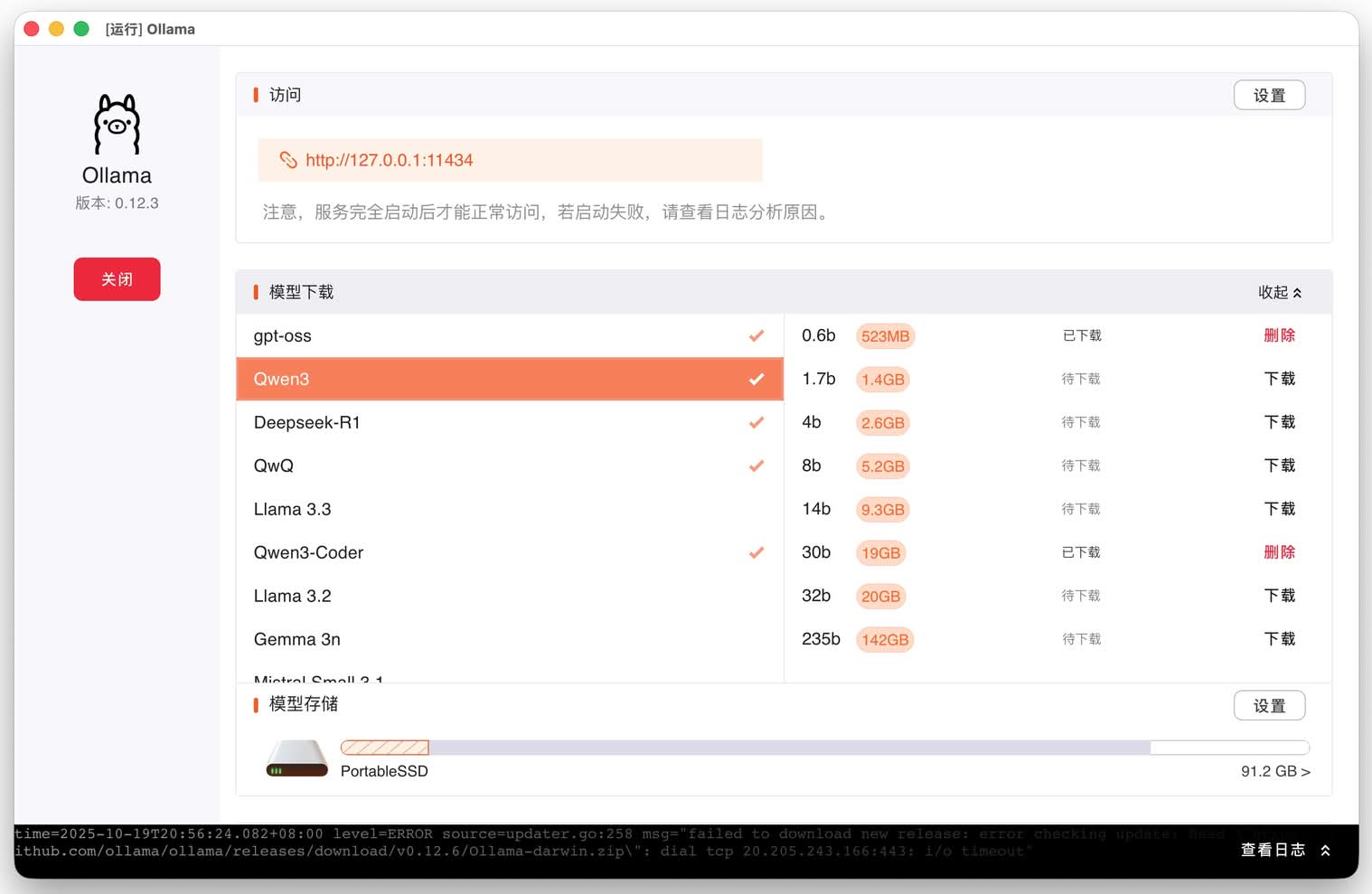
Note: If you're using an NVIDIA GPU, install CUDA first, then the software, to enable GPU acceleration.Screenshots
Introduction
Ollama is an open-source artificial intelligence and machine learning tool platform that enables users to run large language models (LLMs) provided by various AI companies on their local computers.
- Core Features:
- Local Deployment: Deploy AI models directly on users' devices without relying on cloud services, effectively reducing privacy risks, enhancing data control and security, and reducing dependence on external servers, thus speeding up processing speed.
- Rich Model Library: It provides a large number of pre-trained LLM models such as Llama2 and Gemma. Users can choose models suitable for different tasks, domains, and hardware according to their needs.
- Multi-Platform Support: It supports operating systems such as Windows, Linux, and macOS, making it convenient for users of different systems to use.
- Easy to Use: Through a simple command-line interface (CLI) or resident API, users can easily download, run, and manage models, and can also integrate it with other applications.
- Customizable: Allows users to customize and fine-tune models according to their own needs, such as prompt engineering and few-shot learning, so that the model output better meets expectations.
- System Requirements: Different models have different hardware requirements. Generally, running a 7B model requires at least 8GB of memory, running a 13B model requires at least 16GB of memory, and running a 33B model requires at least 32GB of memory.
- Installation and Use: Take the Windows platform as an example. You can download the installation package from the official website or GitHub and double-click the installation program to install it. After installation, you can use the command "ollama run
" in the command line to run the model, such as ollama run llama3.2.
Homepagehttps://ollama.ai/
LicenseMIT